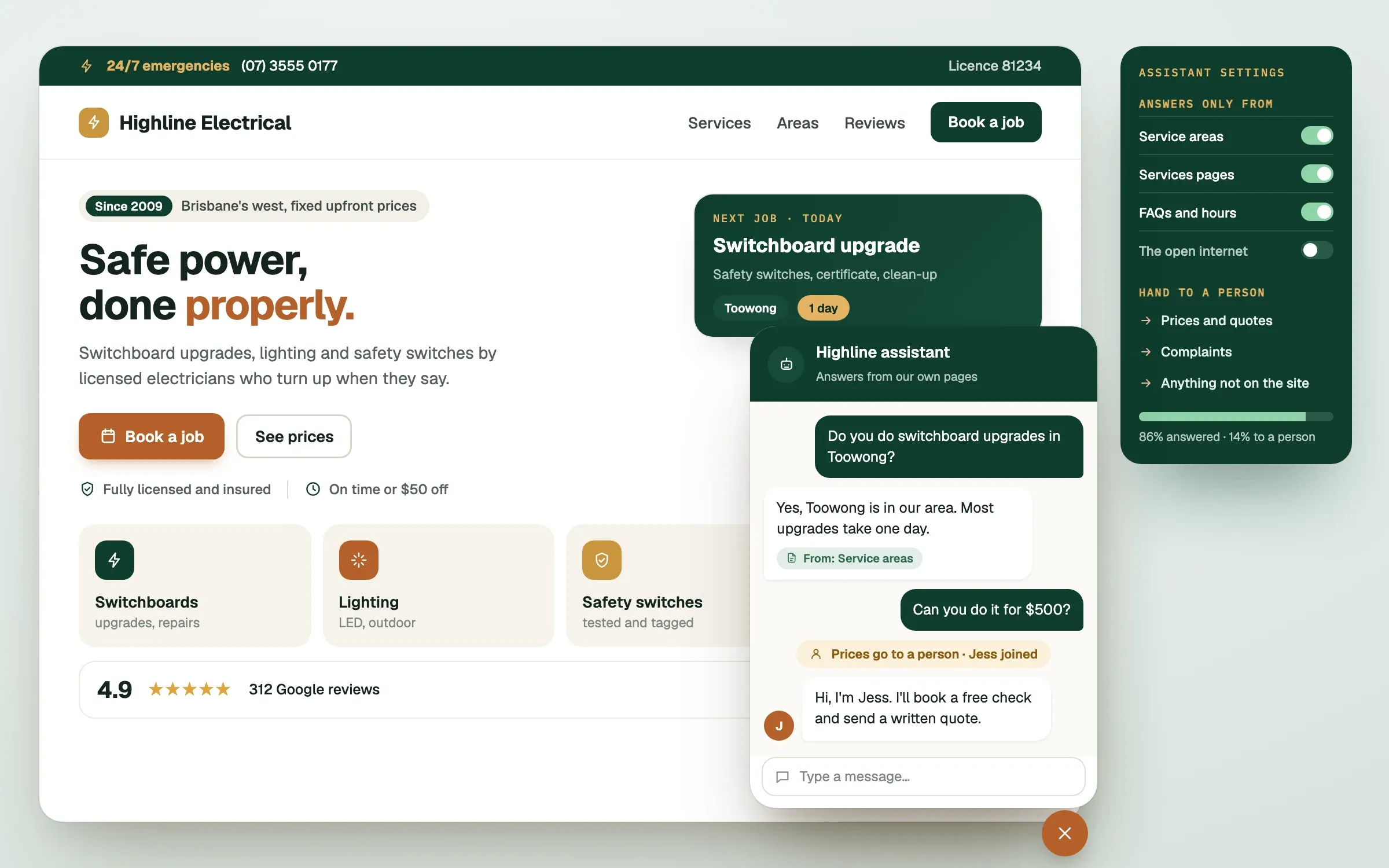
An AI chatbot for small business can answer the same ten questions your team gets every day, at 2am, without getting tired. It can also state something false in a friendly tone, which is the part nobody puts in the sales deck. This read explains what these chatbots actually are, where they shine, and where they let you down.
What is an AI chatbot, and how is it different from the old kind?
An AI chatbot is a chat window on your website or app that understands ordinary sentences and replies in ordinary sentences. The old kind of chatbot followed a fixed menu: press 1 for opening hours, press 2 for pricing. If you asked something it had not been told about, it gave up.
An AI chatbot is built on a large language model, the same kind of technology behind ChatGPT. It does not look up a script. It writes a reply each time, based on what the person asked and on the material you gave it. That makes it flexible, and it is also why it can go wrong in ways a menu never could.
What do AI chatbots do well?
AI chatbots do well at repeated questions with clear answers that already exist in your content. Think opening hours, delivery times, how to reschedule, what is included in a service, which product suits which need. They are fast, patient, and available outside business hours.
They also help in quieter ways. A chatbot can collect the details of an enquiry before a person steps in, so your team starts with the name, the problem and the contact details already in hand. It can point people to the right page instead of making them hunt. And it shows you, in plain text, what customers actually ask, which is useful for fixing your website.
Where do AI chatbots get things wrong?
AI chatbots get things wrong when the answer is not in the material they were given, or when the question needs judgement. The technical name for confidently inventing an answer is a hallucination. The chatbot is not lying on purpose. It is predicting plausible words, and a plausible answer is not always a true one.
| Situation | What can go wrong |
|---|---|
| A question your content does not cover | It guesses and sounds sure about it |
| Prices, stock or availability | It quotes old or wrong figures |
| Complaints and upset customers | It replies in a tone that makes things worse |
| Anything medical, legal or financial | It gives advice it is not qualified to give |
| Unusual or tricky requests | It agrees to things your business never offered |
Should your business use an AI chatbot?
Your business should use an AI chatbot if you answer the same questions repeatedly and the answers are written down somewhere. It is a poor fit if most enquiries are one-off, emotional or complicated, or if your information changes by the hour and nobody keeps it up to date.
Here is a quick test. Look at the last 50 messages your team received. If more than half were a version of questions you could answer from your website, a chatbot will probably save you time. If most needed a human to think, a better contact form and a faster reply from your team will serve you better, and cost less.
How do you set up a chatbot that does not embarrass you?
Set it up with a short, approved set of content, firm limits on what it may say, and an easy route to a person. The details matter more than the brand of AI underneath.
The setup that works
- Approved content only. The chatbot answers from pages and documents you have reviewed. If the answer is not there, it says so.
- A clear "I don't know". It should say it cannot help with that and offer to pass the question on, instead of guessing.
- A visible hand-off. Every conversation has a way to reach a person: a button, a phone number or a form that goes straight to your inbox or your Slack channel.
- Boundaries written in. It never quotes custom prices, promises outcomes, or gives medical, legal or financial advice.
- A log you actually read. Review conversations weekly at first. You will spot gaps in your content within days.
- A privacy check. Know where conversations are stored and who can see them before you switch it on.
A chatbot also works best when it connects to the rest of your business. Sending qualified enquiries into HubSpot, alerting your team in Slack or checking an order status in your store all turn a chat window into part of your workflow. If you would like a lead engineer to look at what would suit your setup, that is exactly the kind of work we do, and the plan is agreed in writing before anything is built.
Finished this read?
- OpenedToday
- FinishedNot yet
Written by
Kevin MatthewsHead of Development
Kevin leads engineering at SingletonTec and has spent 10+ years building production-grade websites, apps and systems for businesses.