AI for small business Australia is no longer a future topic. It is a set of tools you can use this month, and most of them are cheap to try. The hard part is not getting access. It is deciding which two or three uses are actually worth your time. This is how we would think about it if you were sitting across the table from us.
What can AI actually do for a small business?
AI does three useful jobs for a small business: it drafts, it sorts and it answers. Drafting means first versions of emails, product descriptions, quotes and social posts. Sorting means reading a pile of enquiries, invoices or reviews and putting each one in the right place. Answering means replying to common questions from customers or staff, at any hour of the day.
Almost everything else you hear about is those three jobs wearing different clothes. A "smart assistant" is usually drafting plus answering. An "automated workflow" is sorting plus a few rules. Holding that picture in your head makes sales pitches much easier to read.
Where should a small business start with AI?
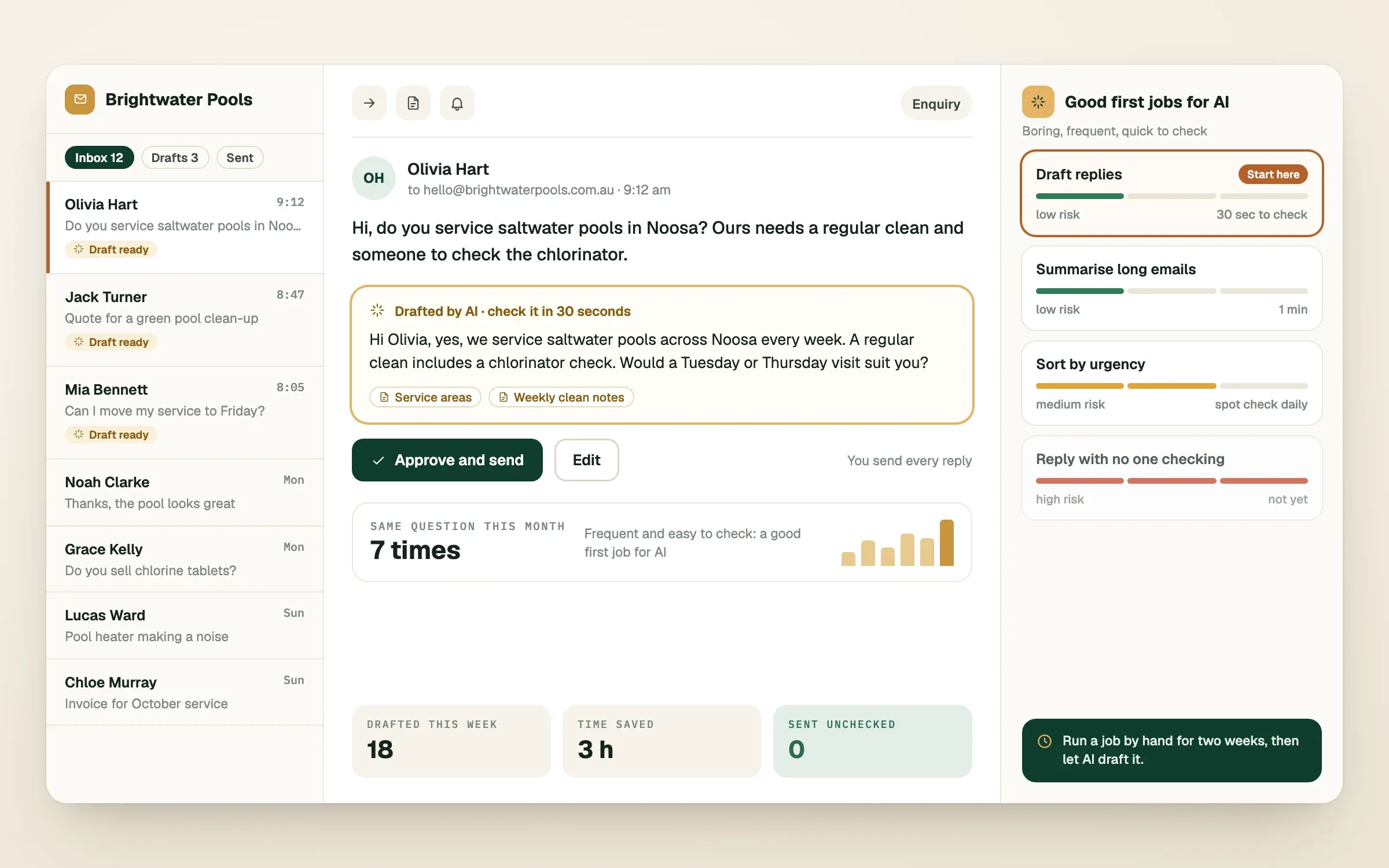
Start with one repeated task that is boring, frequent and low risk. A good first task happens at least weekly, follows a pattern, and has a person who can check the result in under a minute. If a mistake would embarrass you or cost real money, it is not your first task.
Three questions find it quickly:
- Does this task repeat in roughly the same shape every time?
- Could someone check the result in about a minute?
- If the result is wrong, is the worst outcome small and easy to fix?
If you can answer yes, yes and yes, you have found a good candidate. Here is how common tasks usually rank.
| Task | How risky it is | Time to check |
|---|---|---|
| Draft a reply to a common customer question | Low (you approve before sending) | 30 seconds |
| Write first versions of product or service descriptions | Low | 1 minute |
| Summarise a long email thread or meeting notes | Low | 1 minute |
| Sort incoming enquiries by type and urgency | Medium | Spot check daily |
| Reply to customers automatically with no review | High | Needs careful setup |
| Anything involving health, legal or financial advice | High | Needs expert rules |
What should you ignore for now?
Ignore anything that needs you to rebuild your business around it. A good AI tool fits into the way you already work and removes a step. A bad one asks you to change everything first and promises the payoff later.
Here is our short ignore list:
- "AI agents that run your company". They do not, and the demos hide the supervision behind the scenes.
- The tool of the week. New products appear constantly, and the basics you learn transfer between them.
- Any tool that cannot say what it costs per month at your volume. Usage-based pricing can surprise you.
- Pressure from competitors posting about AI. Posting is not the same as getting results.
How do you set it up without breaking things?
Run the task by hand with AI for two weeks, then automate only the steps that proved themselves. By hand means you copy the input into the AI tool, read what comes back, and fix or send it yourself. It feels slow, but it shows you where the tool is strong, where it makes things up, and what instructions it needs to behave.
After two weeks you will know three things: how often the output was good enough, what mistakes keep repeating, and how many minutes you actually saved. That is the evidence for whether to automate it.
Our rule of thumb is buy before you build. Use an off-the-shelf tool while it fits the way you work. Build something custom when the off-the-shelf version forces you to bend your business around it, or when it cannot connect to the systems you already use, such as HubSpot, Cin7, Stripe or your own database. That is the point where a custom automation starts paying for itself.
Keep a person on the last step
For the first few months, a human approves anything that reaches a customer. The AI drafts, the person sends. Once the draft is right nearly every time, you can loosen that step for the low-risk cases and keep it for the rest.
What does a sensible first month look like?
A sensible first month is one task, one person checking and four weeks of learning. Do not try to fix five things at once. Teams that try end up with five half-working tools and no clear idea which one helped.
Week one is picking the task and writing down exactly what "good" looks like. Weeks two and three are running it by hand and noting the mistakes. Week four is deciding: keep as is, automate the proven steps, or drop it. Dropping it is a legitimate result. A cheap experiment that teaches you AI is not right for a task has done its job.
If you decide to build something custom, this is where we come in. You speak directly with a lead engineer from the first call to launch, we write the plan down and agree it before any work starts, and we quote on scope and engineering hours, so the same work costs the same price. No templates: whatever we build is engineered for how your business actually runs.
Finished this read?
- OpenedToday
- FinishedNot yet
Written by
Kevin MatthewsHead of Development
Kevin leads engineering at SingletonTec and has spent 10+ years building production-grade websites, apps and systems for businesses.