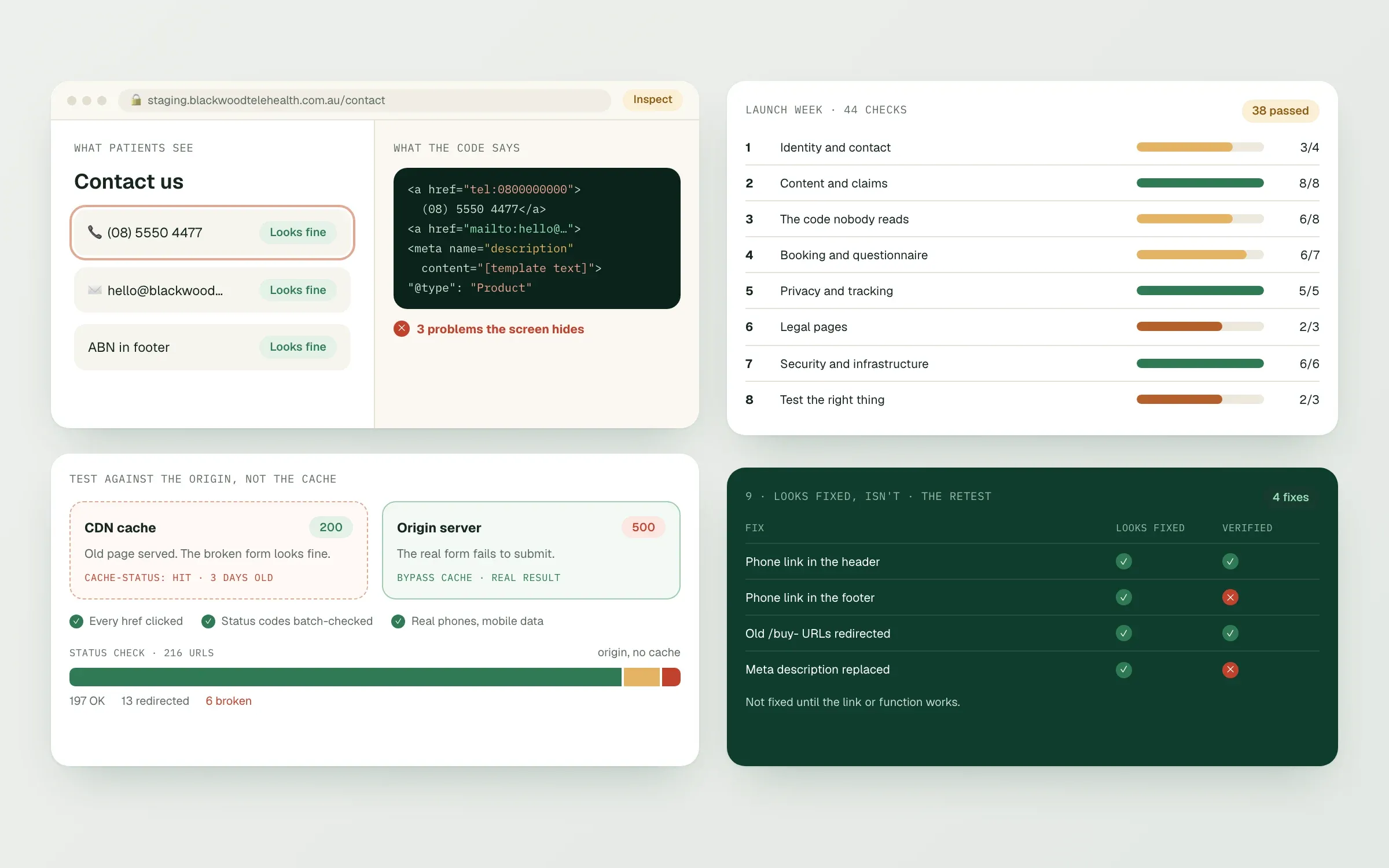
This is the list we run the week before every telehealth launch, built from the problems we keep finding on live clinic sites: placeholder text in the Terms, phone buttons that dial an old number, medicine names in image file names, questionnaires that turn everyone away. Most of these are invisible from the homepage, which is why they survive. Work through each section, and mark anything that needs a decision from the clinic, a lawyer or a clinical lead separately from fixes a developer can make.
1. Identity and contact
// checklist0 of 4 done
2. Content and claims
// checklist0 of 8 done
3. The code nobody reads
Most TGA problems we find live here. Search the page source and CMS for medicine names, ingredients and nicknames related to your services, and check:
// checklist0 of 8 done
The rules behind this are in TGA advertising rules for clinic websites.
4. Booking and questionnaire
// checklist0 of 7 done
5. Privacy and tracking
// checklist0 of 5 done
6. Legal pages
// checklist0 of 3 done
The full consistency check is in Terms, FAQs, refund and booking rules that contradict each other.
7. Security and infrastructure
// checklist0 of 6 done
8. Test the right thing
// checklist0 of 3 done
9. Looks fixed, isn't: the retest
After fixes, we mark every issue as fixed, partly fixed, looks fixed but isn't (the text changed but the link or function didn't), not fixed, or lost in the rewrite (something good that disappeared). The third one is the most common: a phone number updated on screen while the tel: link still dials the old one. Retest until every item is fixed.
If you'll advertise on Google, run the LegitScript requirements checklist too.
Want us to run this before your launch? Start on Connect.
Finished this read?
- OpenedToday
- FinishedNot yet
Written by
Kevin MatthewsHead of Development
Kevin leads engineering at SingletonTec and has spent 10+ years building production-grade websites, apps and systems for businesses.