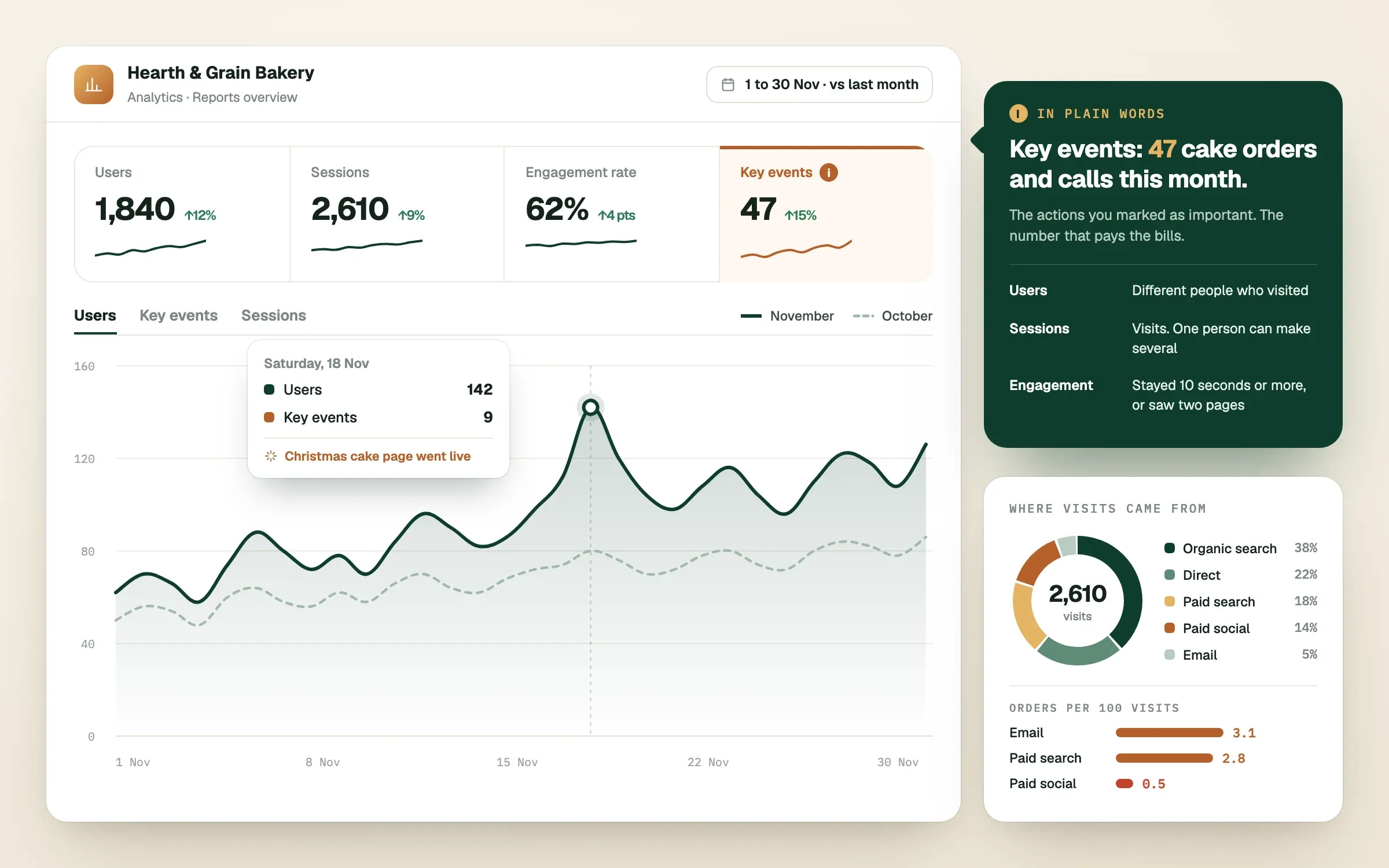
Google Analytics 4, usually shortened to GA4, is Google's free tool for showing who visits your website, how they arrive and what they do. For a small business, the useful part is small: a handful of numbers and five questions. This read explains Google Analytics 4 in plain words, so you can open your report and know what you are looking at.
What does Google Analytics 4 actually do?
GA4 counts and describes visits to your website, and, if your tracking is set up properly, the actions that matter to you, such as a form submission, a phone tap or a purchase. It works by recording small events, one each time someone loads a page, clicks a button or finishes something you have told it to track.
It cannot tell you why a person did something, and it does not see everything. Visitors who decline tracking, use privacy tools or block scripts may not be counted, so treat the numbers as a reliable direction rather than an exact headcount.
What do the main terms mean?
These words appear on almost every screen. Learn them once and the rest falls into place.
Table: GA4 terms in plain English
| Term | Plain meaning | Why you care |
|---|---|---|
| Users | The number of different people (or devices) that visited | Rough size of your audience |
| New users | People visiting for the first time | Whether you are reaching fresh people |
| Sessions | The number of visits, where one person can have several | Overall activity |
| Engaged session | A visit that lasted a little while, had a key event or viewed more than one page | Separates real interest from instant exits |
| Engagement rate | The share of sessions that were engaged | Quality of traffic, higher is generally better |
| Event | Any recorded action, such as a page view or a click | The building block of everything |
| Key event | An event you have marked as important, such as a form submitted | The results you actually care about |
| Channel | The type of source a visit came from | Which marketing is bringing people |
Where do your visitors come from?
Open the report that groups visits by channel, usually found under the acquisition section. The common channels are:
- Organic search: people who found you through Google's unpaid results
- Paid search: visits from Google Ads and other search ads
- Paid social and organic social: visits from Facebook, Instagram, LinkedIn and similar
- Direct: people who typed your address or used a bookmark, plus visits Analytics could not place
- Referral: visits from links on other websites
- Email: visits from links in your emails
Seeing which channel brings people, and which brings people who go on to enquire, tells you where your effort and money are working. Do not worry if "direct" looks large: some of it is visits that could not be traced elsewhere.
Which pages and actions matter most?
Look at which pages get the most visits, and whether those pages lead people to take the next step. A busy page with no key events is a clue that something is wrong, whether the message, the layout or the speed.
Then check your key events. These should include your real goals: form submissions, phone-number taps, booking completions, purchases or downloads. If none of these are set up, your report can tell you how many people visited but not whether the website earned you any business. This is a common gap when a business first opens its Analytics.
What five questions should you ask each month?
Answer these in the same order every month, and write the answers down. Trends beat single numbers.
- How many people visited, compared with last month and the same month last year?
- Which channels brought the most visitors, and which brought the most enquiries?
- How many key events did we get, and what share of visitors was that?
- Which pages were visited most, and which pages led to key events?
- What is one thing we will change next month because of this?
That fifth question is the important one. A report that does not change a decision is just a number collection.
Do you need to do this yourself?
You can, and it is a good habit to look at your own numbers. But many owners prefer someone to translate the data into actions. For every Grow client we give you full access to your Google Analytics and Search Console, set up the key events that matter to your business, and send an automated, plain-language report at the end of each month, so the data is always yours and easy to read.
Finished this read?
- OpenedToday
- FinishedNot yet
Written by
Umair NasirGrowth Analyst

Umair is SingletonTec's growth analyst. Umair reads the numbers behind websites and ad campaigns, finds where visitors drop off, and turns that into the next change worth making.