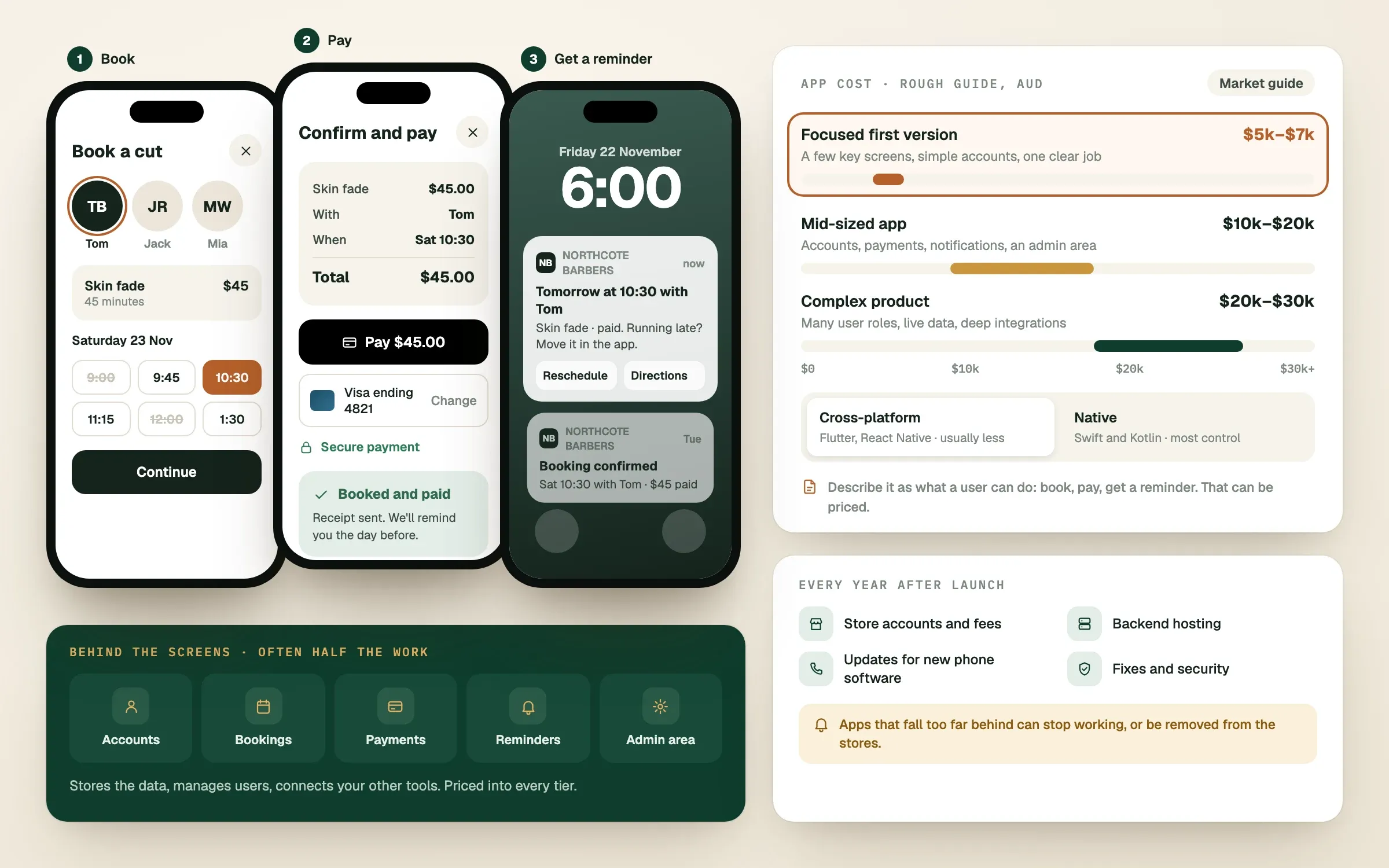
A professionally built mobile app in Australia typically costs somewhere from around $30,000 for a focused first version to several hundred thousand dollars for a complex product. Every figure in this guide is a rough guide only, because mobile app development cost depends on what the app must do. The aim here is to help you understand the drivers so you can plan a budget and judge any quote.
How much does a mobile app cost in Australia?
A simple app with a clear purpose often sits in the tens of thousands of dollars, a mid-sized app with accounts and payments climbs higher, and complex apps with many connected systems can run well into six figures.
| Type of app | Typical range (AUD) | Examples of what is inside |
|---|---|---|
| Focused first version | $30,000 to $80,000 | A few key screens, simple accounts, one clear job |
| Mid-sized app | $80,000 to $200,000 | Accounts, payments, notifications, an admin area |
| Complex product | $200,000 and up | Many user roles, live data, deep integrations |
What drives the cost of an app?
Mobile app cost is driven by features, platforms, design effort, the backend and testing. The idea alone does not set the price. The work to make it real does.
Features. Every screen, button and behaviour takes design and engineering time. Logins, payments, chat, maps, notifications and file uploads each add work.
Platforms. Do you need iPhone, Android or both? The route you take changes the budget (see the next section).
Design. Apps live or die by how they feel to use. Thoughtful UI and UX design takes time, and it is not the place to cut corners.
The backend. Most apps need a system behind the screens that stores data, manages users and talks to other tools. This is often half the work, and it is invisible to users.
Testing and store approval. Apps need testing on many devices, and both Apple and Google review apps before they appear in their stores. Time for fixes belongs in the plan.
Native or cross-platform: which is cheaper?
Cross-platform development is often cheaper to start, because one shared codebase can serve both iPhone and Android. Native development builds a separate app for each, and suits apps that need the very best performance or deep use of the phone's hardware.
Native means building for each phone family with its own tools: Swift for iPhone and Kotlin for Android. It gives maximum control and polish.
Cross-platform means tools such as Flutter or React Native, where much of the code is shared across both. It usually reduces cost and time, and it works well for most business apps.
Our team builds in all of these, which is why we can recommend what suits your app rather than what suits our skills. A good engineer will tell you which route fits, and why.
What are the costs after launch?
An app is never finished at launch. Budget for running and improving it, typically a meaningful share of the build cost each year, though that share varies a lot.
Ongoing costs to plan for:
- Apple and Google developer accounts and store fees.
- Hosting and cloud services for the backend.
- Updates when phones and operating systems change.
- Bug fixes and security care.
- Support and new features based on how people use the app.
How do you keep an app budget under control?
Start with a focused first version that does one job well, launch it, then grow from real use. This is almost always cheaper and safer than building everything at once.
Ways to keep control:
- Choose the one core job. What single thing must the app do on day one?
- Cut features that feel nice but unproven. You can add them when users ask.
- Consider a website first. Sometimes a well-built web app does the job without app store costs.
- Get a written plan. At SingletonTec the plan is written and approved before work starts, with the price based on scope, features and engineering hours.
- Watch progress. Staging builds, Figma designs and regular updates in Slack keep you in the loop and prevent surprises.
If your app connects to other tools, such as booking systems or automations, mention that early. Integrations are a major part of real-world cost.
Finished this read?
- OpenedToday
- FinishedNot yet
Written by
Kevin MatthewsHead of Development
Kevin leads engineering at SingletonTec and has spent 10+ years building production-grade websites, apps and systems for businesses.